projects
Perlin Noise - Flow Field
- Published
- 2020-12-08
- Tags
- p5.js, perlin noise, particles
I’ve always had this particular exercise in the back of my mind ever since I saw, well, the thumbnail to the Coding Train video, but there was no point in doing it until I had some idea of what Perlin Noise was and get a bit more comfortable with both the setup on this site and P5.js, but having done that, I jumped at this and it’s been most rewarding.
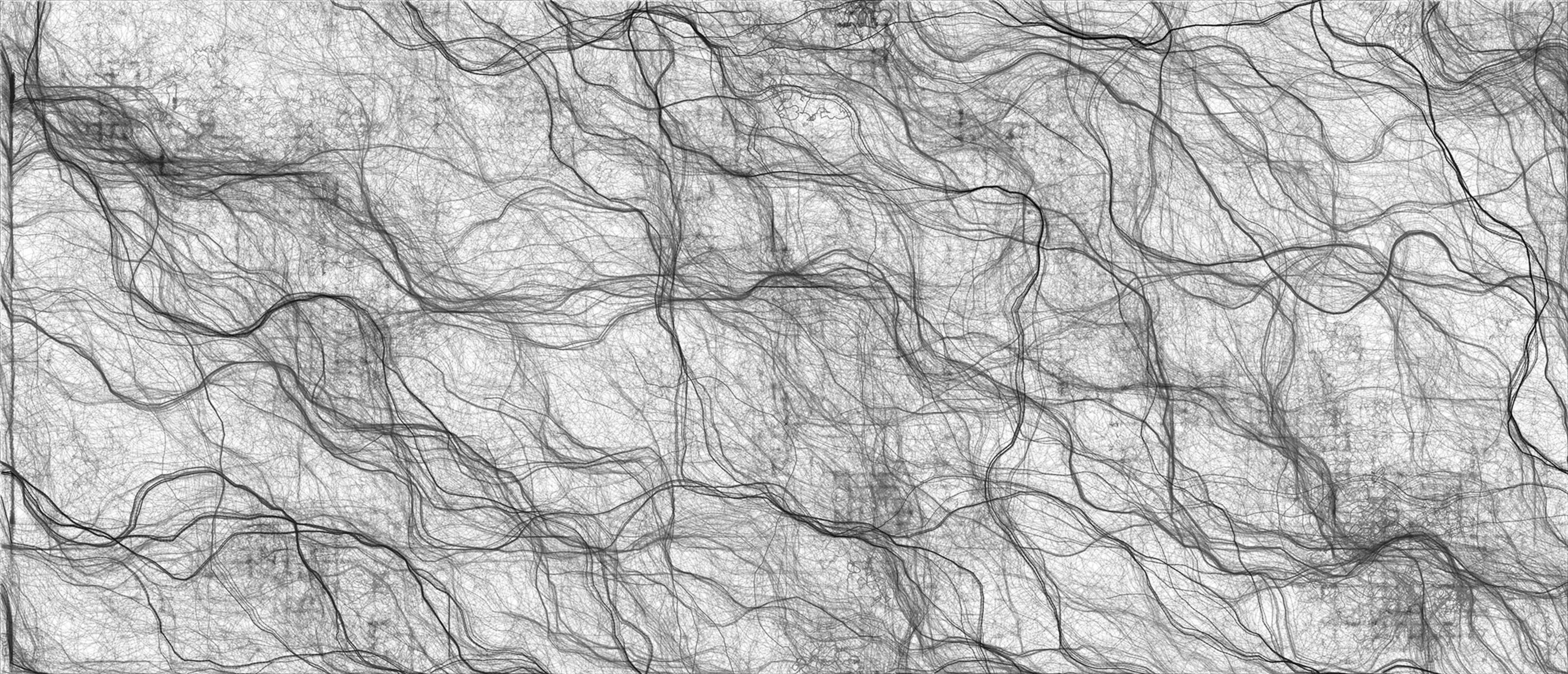
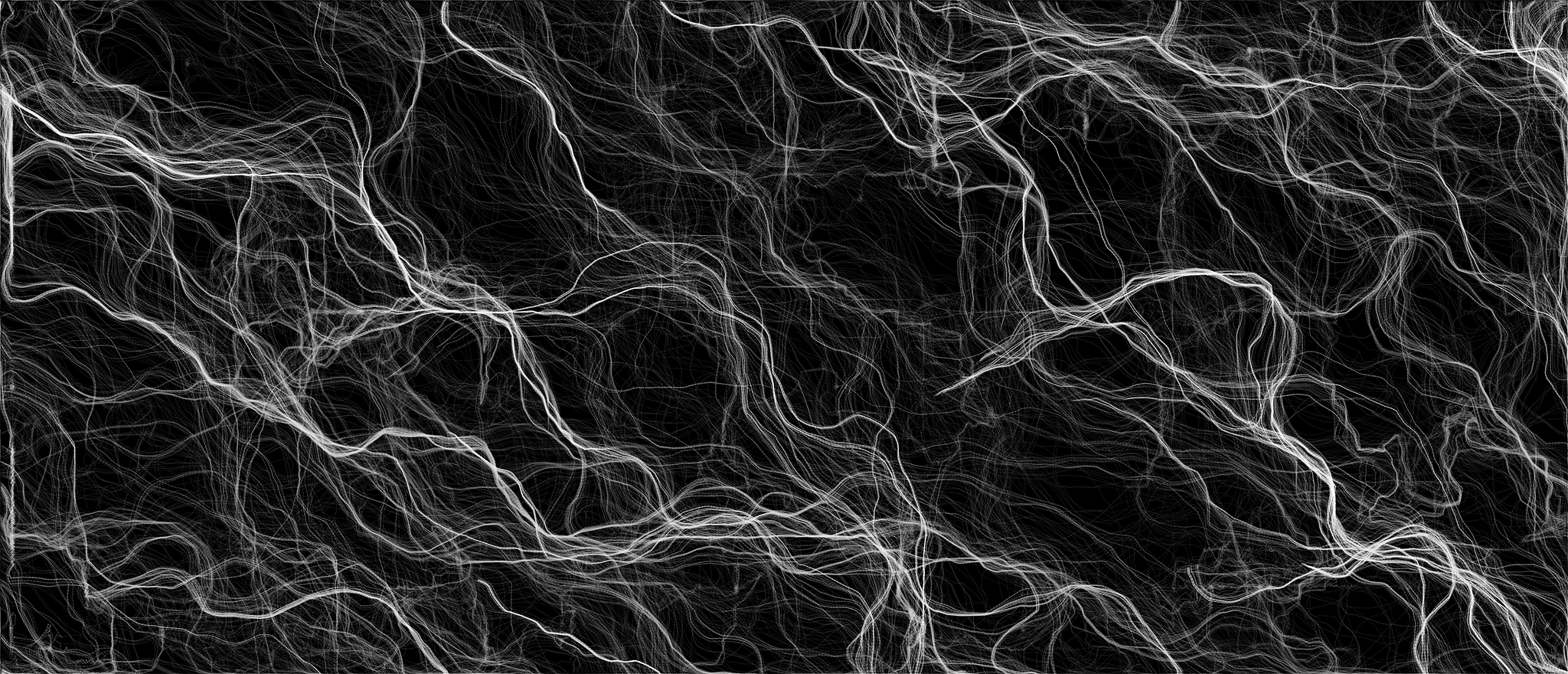
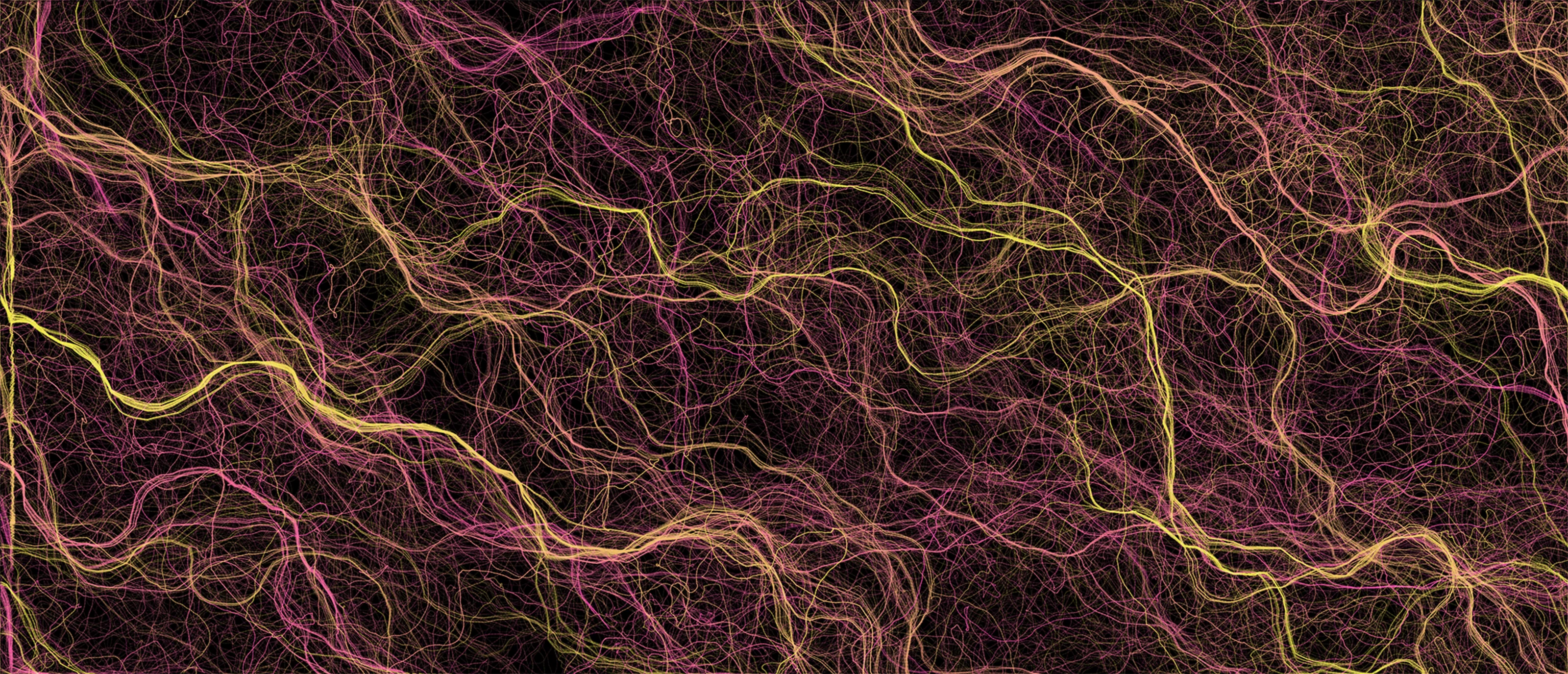
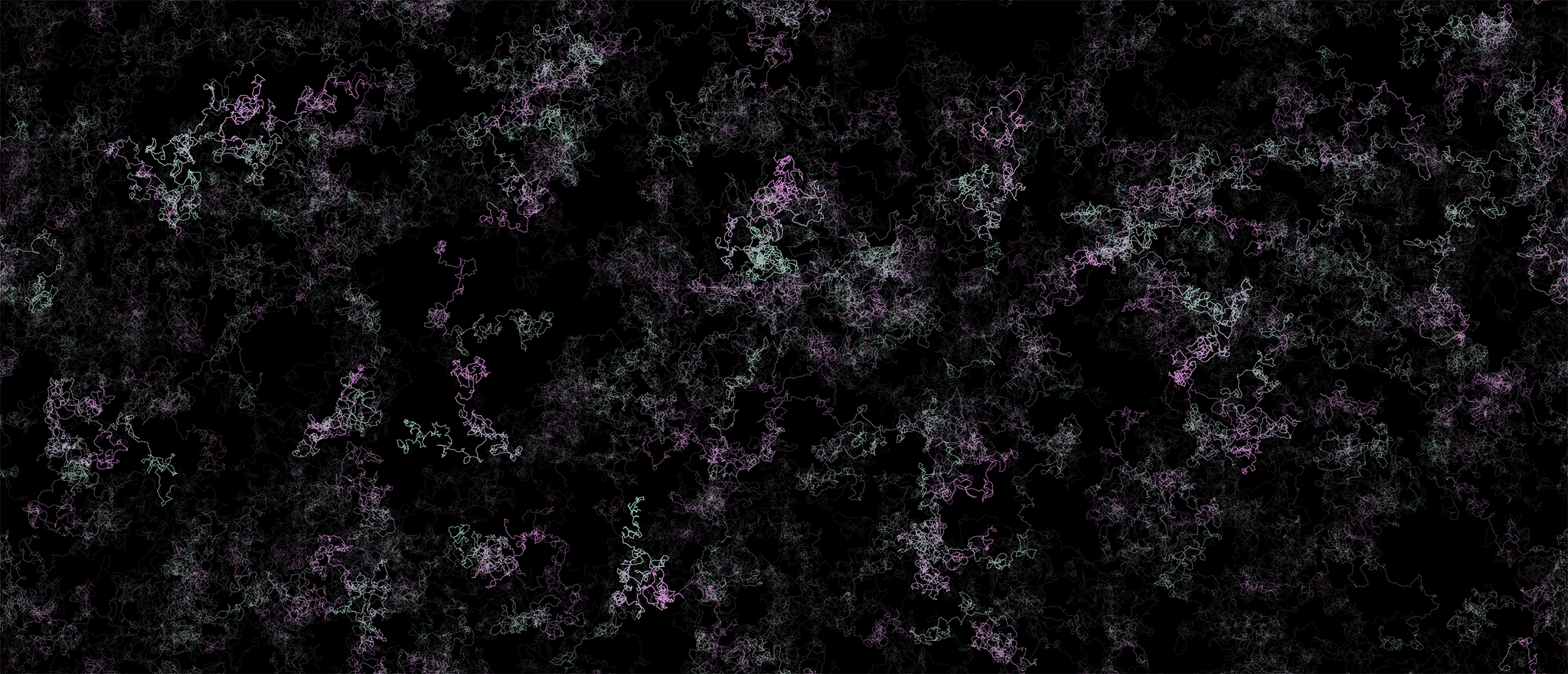
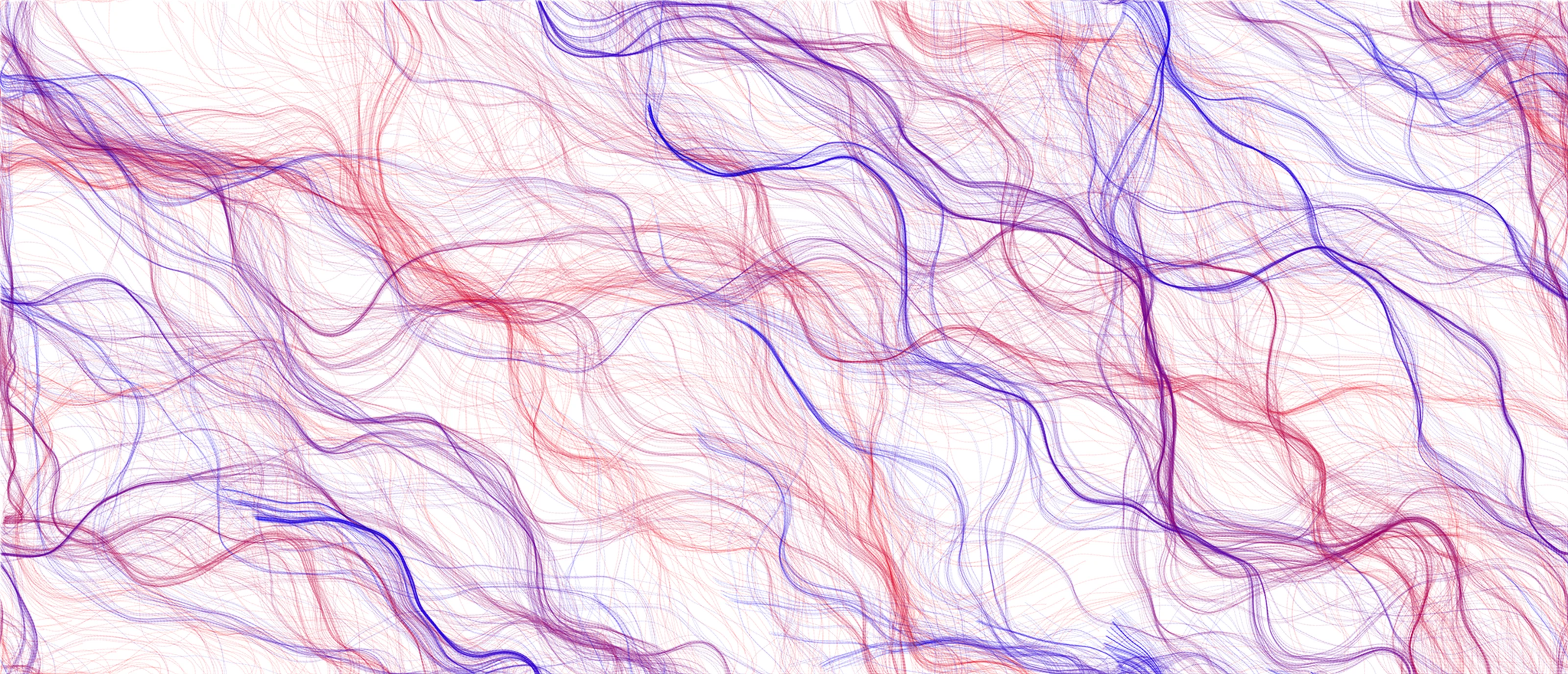
While this exercise needs a bit more tweaking, I want to take the time to walk through what’s happening while it’s fresh in my memory. As an overview, what you’re seeing being generated bellow is the combination of two things, force and moving particles. We’re building a grid of force vectors, spread out across the canvas into which we drop individual particles at random locations which, as literarily as leaves in the wind, move around the canvas leaving colored trails behind. Let’s look a little bit closer to each part of this puzzle.
Force vectors
So following the plan layed out above, the first piece of this puzzle is the vectors. The idea here is to cover our nice little canvas with a series of vectors all pointing to slightly different directions and to do that we’ll use Perlin Noise, as we did in the previous examples, but instead of placing pixels with a given color, we’ll orient vectors to a given angle based on the numbers that we pull from the Perlin Noise data.
As you can see, the little lines are spread out evenly on the canvas and their orientation changes ever so slightly as time passes. We do this by navigating all three dimensions of the Perlin Noise space, mapping the first two to the location on the screen and iterating the third dimension forward on each animation frame. Given the Perlin Noise characteristics the results are random but are also all related between neighboring locations.
Particles
With the field in place, we can add the final piece to our puzzle, the particles. Particles are the only visible parts in this exercise, they move around influenced by the vectors we created above and they leave a trail as they move, that’s what’ll ultimately generate the images we see.
As you see the behavior is to follow the pathways created by the vectors, particles are randomly placed but once the “currents” take hold they start to follow common paths - where the combined forces push them into - but the field itself changes over time so particle groups are broken apart and new paths emerge, which is why we see this organic like behavior begin to emerge.
You can play around with a few settings bellow, namely:
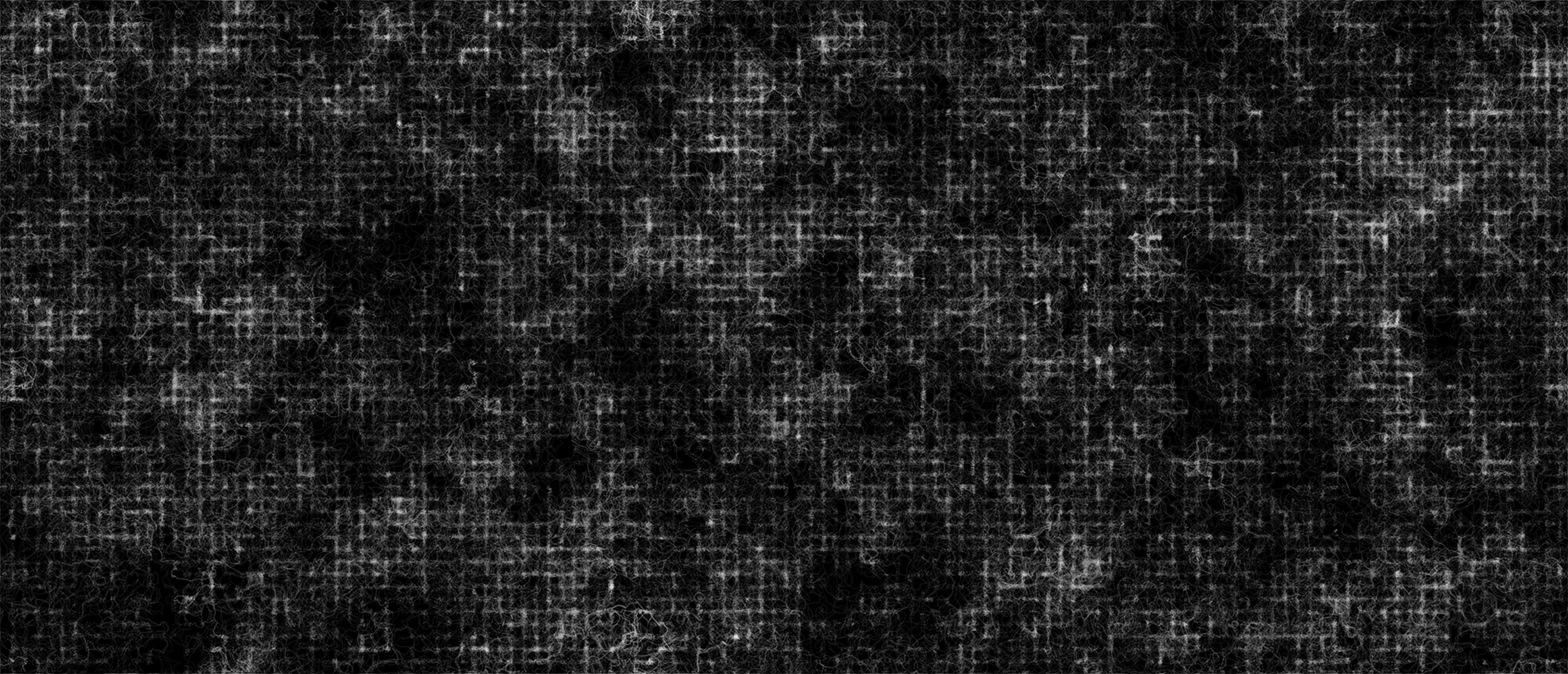
- Color Scheme: I’ve added a few different color schemes for background and lines, happy to throw a few more so hit me with suggestions
- Number of particles: The more particles you throw at the system the more “paint” we get on, try to change this dynamically , start low end high :)
- Angle Multiplier: This influences the angles the vectors might take on. The default value is one, which means the angles vary between 0 and 360° but as the videos mention and someone brought up to me, Perlin Noise as a typical bell curve distribution, which means some angles will be statistically rare and this variable influences that by increasing the range, i.e. say the magnitude is 2, the new range is angles between 0 and 720° . The more you push this the more you’ll see particles going in circles as the field is changing much faster beneath them (my metaphors need work, I know)
- Noise Scale: How zoomed in we are on the noise. Low values give long sweeping rivers, high values give tight turbulent curls
- Field Evolution Speed: How fast the field itself changes over time. At zero the field is frozen and the particles carve the same channels over and over, higher values break the paths apart sooner
- Trail Opacity: How much “paint” each particle leaves behind on every pass. Low values build up slowly with finer shading, high values get you a bold image quickly
- Line Weight: The thickness of the trails, worth bumping up for fullscreen
- Max Particle Speed: How fast a particle is allowed to go. Slower particles draw smoother curves, faster ones get more angular and scratchy
- Seed: The number that decides both the field and where every particle starts, so typing in the same seed replays the same composition. The dice button rolls a new one
- Debug mode: While this will decrease the frame-rate quite a bit will let you see exactly what’s going on, you can see individual particules flowing through the system and you’ll see all the vectors that influence them. Good to see how the other controls affect the system
Finally there are some basic sketch controls you can use:
- Play/Pause will … well, start - stop the system
- Reset Restarts the system
- Download Downloads the image you see on the canvas, the filename contains all the settings and it’s time stamped so you can download as much as you want without bothering to rename the files
- Fullscreen If you’re feeling adventurous with the framerate, go fullscreen and get as much resolution out of the sketch as possible (note: this really just sets the page to fullscreen, not the canvas - which would be an improvement I realize)
Finally, if you end up generating something cool be sure to share and let me know - say you can always @ me on Twitter, I would love to see what you made.
Source — sketch.js
'use strict'

class Particle {
  constructor(sketch, colors, max_speed) {
    this.sketch = sketch
    this.colors = colors
    this.max_speed = max_speed
    this.color_step = 0.001

    this.reset()
  }

  reset() {
    this.position = this.sketch.createVector(this.sketch.random(this.sketch.width), this.sketch.random(this.sketch.height))
    this.previous_position = this.position.copy()
    this.velocity = this.sketch.createVector(0, 0)
    this.acceleration = this.sketch.createVector(0, 0)
    this.color_position = 0
  }

  applyForce(force) {
    this.acceleration.add(force)
  }

  update() {
    this.velocity.add(this.acceleration)
    this.velocity.limit(this.max_speed)

    this.position.add(this.velocity)
    this.acceleration.mult(0)

    this.wrapAroundEdges()
  }

  // Leaving on one side brings the particle back on the opposite one. The
  // previous position moves along with it, otherwise the next trail segment
  // would be a line drawn straight across the whole canvas.
  wrapAroundEdges() {
    if (this.position.x > this.sketch.width)  this.position.x = this.previous_position.x = 0
    if (this.position.x < 0)                  this.position.x = this.previous_position.x = this.sketch.width
    if (this.position.y > this.sketch.height) this.position.y = this.previous_position.y = 0
    if (this.position.y < 0)                  this.position.y = this.previous_position.y = this.sketch.height
  }

  // A trail segment from where the particle was to where it is now, slowly
  // cycling back and forth between the two colors of the scheme
  drawTrail() {
    this.sketch.stroke(this.sketch.lerpColor(this.colors[0], this.colors[1], this.color_position))
    this.sketch.line(this.position.x, this.position.y, this.previous_position.x, this.previous_position.y)

    this.previous_position.set(this.position)

    this.color_position += this.color_step
    if (this.color_position > 1 || this.color_position < 0) this.color_step *= -1
  }

  drawPoint() {
    this.sketch.point(this.position.x, this.position.y)
    this.previous_position.set(this.position)
  }
}

// Avoiding Global Mode: https://github.com/processing/p5.js/wiki/Global-and-instance-mode
const experiment = ( sketch ) => {
  //
  // Configuration
  //
  let container = document.getElementById('sketch-holder')
  let canvas_el

  let grid_size = 10              // Size of each flow field cell, in pixels
  let noise_z = 0                 // Third noise dimension, moves forward every frame so the field evolves

  let number_of_particles = 250
  let angle_multiplier = 1
  let noise_scale = 0.01          // How far apart two neighbouring cells are in the noise space: small is smooth, big is turbulent
  let evolution_speed = 0.01      // How far noise_z moves every frame, zero freezes the field
  let trail_opacity = 10          // In percent. Trails are mostly transparent, they build up as particles pass over the same spot
  let line_weight = 1
  let max_speed = 5
  let debug_mode = false
  let started = false             // Nothing moves until play is pressed for the first time

  // The same seed gives the same field and the same starting positions
  let seed = Math.floor(Math.random() * 1000000)

  // One entry per slider: its [min, max, step], where its value lives and
  // what a new value does. Each one is wired to the elements named after it,
  // "particle_count" to #experiment-control-particle-count and its label
  // #experiment-label-particle-count
  let sliders = {
    particle_count:   { range: [1, 1000, 1],         value: () => number_of_particles, update: updateParticleCount },
    angle_multiplier: { range: [1, 20, 1],           value: () => angle_multiplier,    update: value => { angle_multiplier = value } },
    noise_scale:      { range: [0.001, 0.03, 0.001], value: () => noise_scale,         update: value => { noise_scale = value } },
    evolution_speed:  { range: [0, 0.05, 0.001],     value: () => evolution_speed,     update: value => { evolution_speed = value } },
    trail_opacity:    { range: [1, 50, 1],           value: () => trail_opacity,       update: updateTrailOpacity },
    line_weight:      { range: [0.5, 5, 0.5],        value: () => line_weight,         update: value => { line_weight = value } },
    max_speed:        { range: [1, 10, 0.5],         value: () => max_speed,           update: updateMaxSpeed }
  }

  let particles = []
  let flow_field = { cols: 0, rows: 0, vectors: [] }

  // Color Schemes
  //
  // The blend mode is what stops the trails from building up into a single
  // flat color: on a dark background only a lighter pixel replaces what is
  // already there, on a light background only a darker one.
  //
  // The two "site" schemes use the site's own palette (see the theme
  // variables in the stylesheet): --color-bg for the background, and
  // --color-brand / --color-brand-text for the lines.
  let color_scheme
  let color_sets = {
    site_dark: {
      label: "Site Dark - Black Background / Orange Lines",
      background: "#0a0a0a",
      lines: ["#b84900", "#ff6600"],
      blend_mode: "LIGHTEST"
    },
    site_light: {
      label: "Site Light - White Background / Orange Lines",
      background: "#ffffff",
      lines: ["#ff6600", "#b84900"],
      blend_mode: "DARKEST"
    },
    bw1: {
      label: "White Background / Black Lines",
      background: "#ffffff",
      lines: ["rgb(0, 0, 0)", "rgb(140, 140, 140)"],
      blend_mode: "DARKEST"
    },
    bw2: {
      label: "Black Background / White Lines",
      background: "#000000",
      lines: ["rgb(140, 140, 140)", "rgb(255, 255, 255)"],
      blend_mode: "LIGHTEST"
    },
    color1: {
      label: "Black Background / Pink - Yellow Lines",
      background: "#000000",
      lines: ["rgb(251, 82, 177)", "rgb(250, 239, 80)"],
      blend_mode: "LIGHTEST"
    },
    color2: {
      label: "Black Background / Purple - Green Lines",
      background: "#000000",
      lines: ["rgb(210, 131, 208)", "rgb(89, 247, 137)"],
      blend_mode: "LIGHTEST"
    },
    color3: {
      label: "White Background / Red - Blue Lines",
      background: "#ffffff",
      lines: ["rgb(255, 0, 0)", "rgb(0, 0, 255)"],
      blend_mode: "DARKEST"
    }
  }

  // Controls
  let controls = {
    color_scheme_picker: document.getElementById("experiment-control-color-scheme"),
    seed: document.getElementById("experiment-control-seed"),
    new_seed: document.getElementById("experiment-control-new-seed"),
    play_pause_toggle: document.getElementById("experiment-control-pause-toggle"),
    restart: document.getElementById("experiment-control-restart"),
    save: document.getElementById("experiment-control-save"),
    fullscreen: document.getElementById("experiment-control-fullscreen-toggle"),
    debug: document.getElementById("experiment-control-debug-mode")
  }

  Object.keys(sliders).forEach(name => {
    let id = name.replaceAll('_', '-')
    sliders[name].control = document.getElementById(`experiment-control-${id}`)
    sliders[name].label = document.getElementById(`experiment-label-${id}`)
  })

  //
  // Control Handling
  //

  function setupControls() {
    Object.values(sliders).forEach(slider => {
      [slider.control.min, slider.control.max, slider.control.step] = slider.range
      slider.control.value = slider.value()
      slider.label.textContent = slider.value()
    })

    Object.entries(color_sets).forEach(([key, scheme]) => {
      controls.color_scheme_picker.add(new Option(scheme.label, key, false, key === color_scheme))
    })

    controls.seed.value = seed
    controls.debug.checked = debug_mode

    updatePlayPauseIcon()
    updateFullscreenIcon()
  }

  // Both toggle buttons hold two icons and show the one for what a click
  // will do next. Which one that is comes from the actual state (is the
  // sketch looping? is the page fullscreen?) rather than from counting
  // clicks, so leaving fullscreen with the Escape key keeps the icon right.
  function showIcon(button, name) {
    button.querySelectorAll('svg').forEach(icon => {
      icon.classList.toggle('hidden', !icon.classList.contains(`icon-${name}`))
    })
  }

  function updatePlayPauseIcon() {
    showIcon(controls.play_pause_toggle, sketch.isLooping() ? 'pause' : 'play')
  }

  function updateFullscreenIcon() {
    showIcon(controls.fullscreen, document.fullscreenElement ? 'compress' : 'expand')
  }

  function installControlHandlers() {
    //
    // Pause / Play
    //
    controls.play_pause_toggle.addEventListener("click", togglePlay)

    // The hint on the canvas invites a click, so the first one starts things
    canvas_el.mousePressed(() => { if (!started) togglePlay() })

    controls.restart.addEventListener("click", restart)

    //
    // Color Scheme
    //
    controls.color_scheme_picker.addEventListener("change", event => {
      updateColorScheme(event.target.value)
      if (!sketch.isLooping()) sketch.redraw()
    })

    //
    // Sliders
    //
    Object.values(sliders).forEach(slider => {
      slider.control.addEventListener("input", event => {
        slider.label.textContent = event.target.value
        slider.update(parseFloat(event.target.value))
      })
    })

    //
    // Seed. Typing one in replays that composition, the button rolls a new one
    //
    controls.seed.addEventListener("change", event => {
      seed = parseInt(event.target.value) || 0
      controls.seed.value = seed
      restart()
    })

    controls.new_seed.addEventListener("click", () => {
      seed = Math.floor(Math.random() * 1000000)
      controls.seed.value = seed
      restart()
    })

    //
    // Debug mode, shows the flow field itself and the particles as dots
    //
    controls.debug.addEventListener("change", event => {
      debug_mode = event.target.checked
      startCanvas()
      if (!sketch.isLooping()) sketch.redraw()
    })

    // Save file
    controls.save.addEventListener("click", () => {
      sketch.save(canvas_el, `perlin_noise_flow_field_${color_scheme}_seed${seed}_${number_of_particles}_${angle_multiplier}_${noise_scale}_${evolution_speed}_${trail_opacity}_${line_weight}_${max_speed}_${Math.floor(Date.now() / 1000)}`, 'png')
    })

    // Fullscreen
    controls.fullscreen.addEventListener("click", () => {
      sketch.fullscreen(!document.fullscreenElement)
    })

    // p5's fullscreen() always requests fullscreen on <html>, not on
    // #sketch-holder itself (see the :fullscreen CSS in application.css) —
    // and the native windowResized()/resize event doesn't reliably fire in
    // time with the CSS transition that actually grows #sketch-holder, so
    // the canvas was staying at its pre-fullscreen size. Explicitly
    // resizing on fullscreenchange (fired once the transition — in or out —
    // has actually settled) fixes both directions.
    document.addEventListener('fullscreenchange', () => {
      updateFullscreenIcon()
      sketch.windowResized()
    })
  }

  //
  // P5.js touchpoints
  //
  sketch.setup = () => {
    canvas_el = sketch.createCanvas(container.clientWidth, container.clientHeight)
    canvas_el.parent(container)

    sketch.noiseDetail(8, 0.6)

    // Start on the scheme that matches the theme the site is being read in
    color_scheme = document.documentElement.classList.contains('dark') ? 'site_dark' : 'site_light'
    restart()

    sketch.noLoop() // Don't auto-start experiment

    setupControls()
    installControlHandlers()
  }

  sketch.windowResized = () => {
    // resizeCanvas() clears the canvas back to blank, so the trails so far
    // are gone either way — repaint the scheme's own background rather than
    // leaving whatever the cleared default is.
    sketch.resizeCanvas(container.clientWidth, container.clientHeight)
    startCanvas()
    if (!sketch.isLooping()) sketch.redraw()
  }

  sketch.draw = () => {
    if (!started) return drawStartHint()

    updateFlowField()

    if (debug_mode) {
      sketch.background(color_sets[color_scheme].background)
      drawFlowField()
    }

    sketch.strokeWeight(debug_mode ? 3 : line_weight)
    // A trail is a chain of short segments, one per frame, and each one is
    // mostly transparent. SQUARE ends stop exactly at the segment's two
    // points — any cap that reaches past them (ROUND, PROJECT) overlaps the
    // next segment at every joint, and that double coat of paint shows up as
    // a row of dots along the line.
    sketch.strokeCap(debug_mode ? sketch.ROUND : sketch.SQUARE)
    if (debug_mode) sketch.stroke(solidColors()[0])

    particles.forEach(particle => {
      particle.applyForce(forceAt(particle.position))
      particle.update()
      debug_mode ? particle.drawPoint() : particle.drawTrail()
    })
  }

  //
  // Flow field
  //

  // One force vector per grid cell. Noise gives a value between 0 and 1 for
  // each cell, which sets both where the vector points and how hard it pushes
  function updateFlowField() {
    flow_field.cols = sketch.ceil(sketch.width / grid_size)
    flow_field.rows = sketch.ceil(sketch.height / grid_size)

    for (let row = 0; row < flow_field.rows; row++) {
      for (let col = 0; col < flow_field.cols; col++) {
        let noise_value = sketch.noise(
          col * grid_size * noise_scale,  // Use the X as index but transform to smaller steps in the noise space
          row * grid_size * noise_scale,  // Use the Y as index but transform to smaller steps in the noise space
          noise_z
        )

        let angle = sketch.map(noise_value, 0, 1, 0, sketch.TWO_PI * angle_multiplier)
        let magnitude = sketch.map(noise_value, 0, 1, 0.5, 1)

        flow_field.vectors[col + row * flow_field.cols] = p5.Vector.fromAngle(angle, magnitude)
      }
    }

    noise_z += evolution_speed
  }

  // The vector of the cell a given position falls into
  function forceAt(position) {
    let col = sketch.constrain(sketch.floor(position.x / grid_size), 0, flow_field.cols - 1)
    let row = sketch.constrain(sketch.floor(position.y / grid_size), 0, flow_field.rows - 1)

    return flow_field.vectors[col + row * flow_field.cols]
  }

  function drawFlowField() {
    sketch.strokeWeight(1)
    sketch.stroke(solidColors()[1])

    for (let row = 0; row < flow_field.rows; row++) {
      for (let col = 0; col < flow_field.cols; col++) {
        sketch.push()
        sketch.translate(col * grid_size, row * grid_size)
        sketch.rotate(flow_field.vectors[col + row * flow_field.cols].heading())
        sketch.line(0, 0, grid_size, 0)
        sketch.pop()
      }
    }
  }

  //
  // Helper methods
  //

  function togglePlay() {
    if (!started) {
      started = true
      startCanvas() // Wipes the hint
    }

    sketch.isLooping() ? sketch.noLoop() : sketch.loop()
    updatePlayPauseIcon()
  }

  // What the canvas shows before the first play: without it, it's just an
  // empty rectangle with no clue that something is waiting to happen
  function drawStartHint() {
    let center = [sketch.width / 2, sketch.height / 2]
    let hint_color = solidColors()[1]

    sketch.push()
    sketch.blendMode(sketch.BLEND)
    sketch.background(color_sets[color_scheme].background)

    sketch.noStroke()
    sketch.fill(hint_color)
    sketch.triangle(center[0] - 12, center[1] - 44, center[0] - 12, center[1] - 12, center[0] + 16, center[1] - 28)

    sketch.textFont(getComputedStyle(container).fontFamily)
    sketch.textAlign(sketch.CENTER, sketch.TOP)
    sketch.textSize(20)
    sketch.text("Press play to start", center[0], center[1] + 8)

    hint_color.setAlpha(150)
    sketch.fill(hint_color)
    sketch.textSize(14)
    const press = window.matchMedia('(pointer: coarse)').matches ? 'tap' : 'click'
    sketch.text(`or ${press} anywhere in here`, center[0], center[1] + 38)
    sketch.pop()

    if (!debug_mode) sketch.blendMode(sketch[color_sets[color_scheme].blend_mode])
  }

  function solidColors() {
    return color_sets[color_scheme].lines.map(line_color => sketch.color(line_color))
  }

  function trailColors() {
    return solidColors().map(line_color => {
      line_color.setAlpha(255 * trail_opacity / 100)
      return line_color
    })
  }

  // Wipes the canvas back to the background of the current scheme. Debug
  // mode repaints the whole canvas every frame, so it needs plain blending.
  function startCanvas() {
    sketch.blendMode(sketch.BLEND)
    sketch.background(color_sets[color_scheme].background)
    if (!debug_mode) sketch.blendMode(sketch[color_sets[color_scheme].blend_mode])
  }

  function updateColorScheme(scheme) {
    if (!(scheme in color_sets)) return

    color_scheme = scheme
    startCanvas()
    updateParticleColors()
  }

  function updateParticleColors() {
    let colors = trailColors()
    particles.forEach(particle => { particle.colors = colors })
  }

  function updateTrailOpacity(value) {
    trail_opacity = value
    updateParticleColors()
  }

  function updateMaxSpeed(value) {
    max_speed = value
    particles.forEach(particle => { particle.max_speed = max_speed })
  }

  function updateParticleCount(value) {
    number_of_particles = value

    if (number_of_particles < particles.length) {
      particles.splice(number_of_particles)
    } else {
      let colors = trailColors()
      while (particles.length < number_of_particles) particles.push(new Particle(sketch, colors, max_speed))
    }
  }

  // Back to the very start of the current seed: same field, same starting
  // positions, empty canvas
  function restart() {
    sketch.noiseSeed(seed)
    sketch.randomSeed(seed)
    noise_z = 0

    updateParticleCount(number_of_particles)
    particles.forEach(particle => particle.reset())
    startCanvas()
    if (!sketch.isLooping()) sketch.redraw()
  }
}

// Wait for everything to load
if (document.readyState === 'complete') {
  new p5(experiment)
} else {
  window.addEventListener('load', () => new p5(experiment))
}